 UniLink
⌘
Keys that stay on your Mac
Your recovery phrase is generated on-device and kept only in the macOS Keychain. Never uploaded, never synced.
Send, receive and track your tokens on Ethereum, Base, Arbitrum, Polygon and Optimism. Your keys never leave your Mac.

A native macOS wallet built around one idea: your assets, fully under your control.
Your recovery phrase is generated on-device and kept only in the macOS Keychain. Never uploaded, never synced.
ETH, POL and ERC-20 on five networks. See the full address, network and maximum fee — signed locally with libsecp256k1.
Live balances and performance from 1H to 1Y, a watch-only mode for any address, and live market prices.
FIFO, LIFO or HIFO estimates and a Form 8949-style PDF worksheet to review with your accountant.
One calm, native window for balances, activity, markets, taxes and settings.
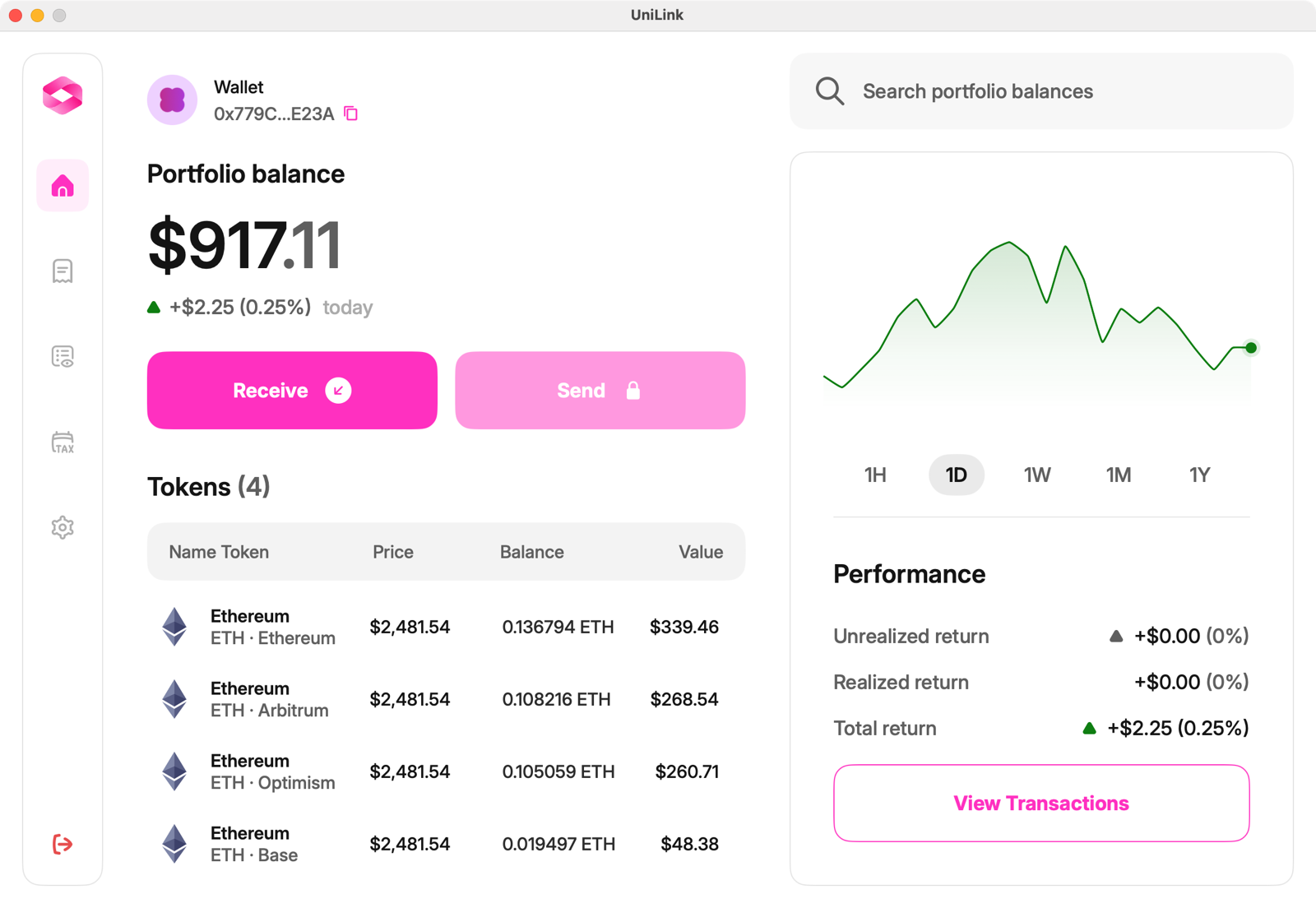
See every token across Ethereum, Base, Arbitrum, Polygon and Optimism in one balance, with a live chart from 1H to 1Y and your return. Click the balance to hide it.
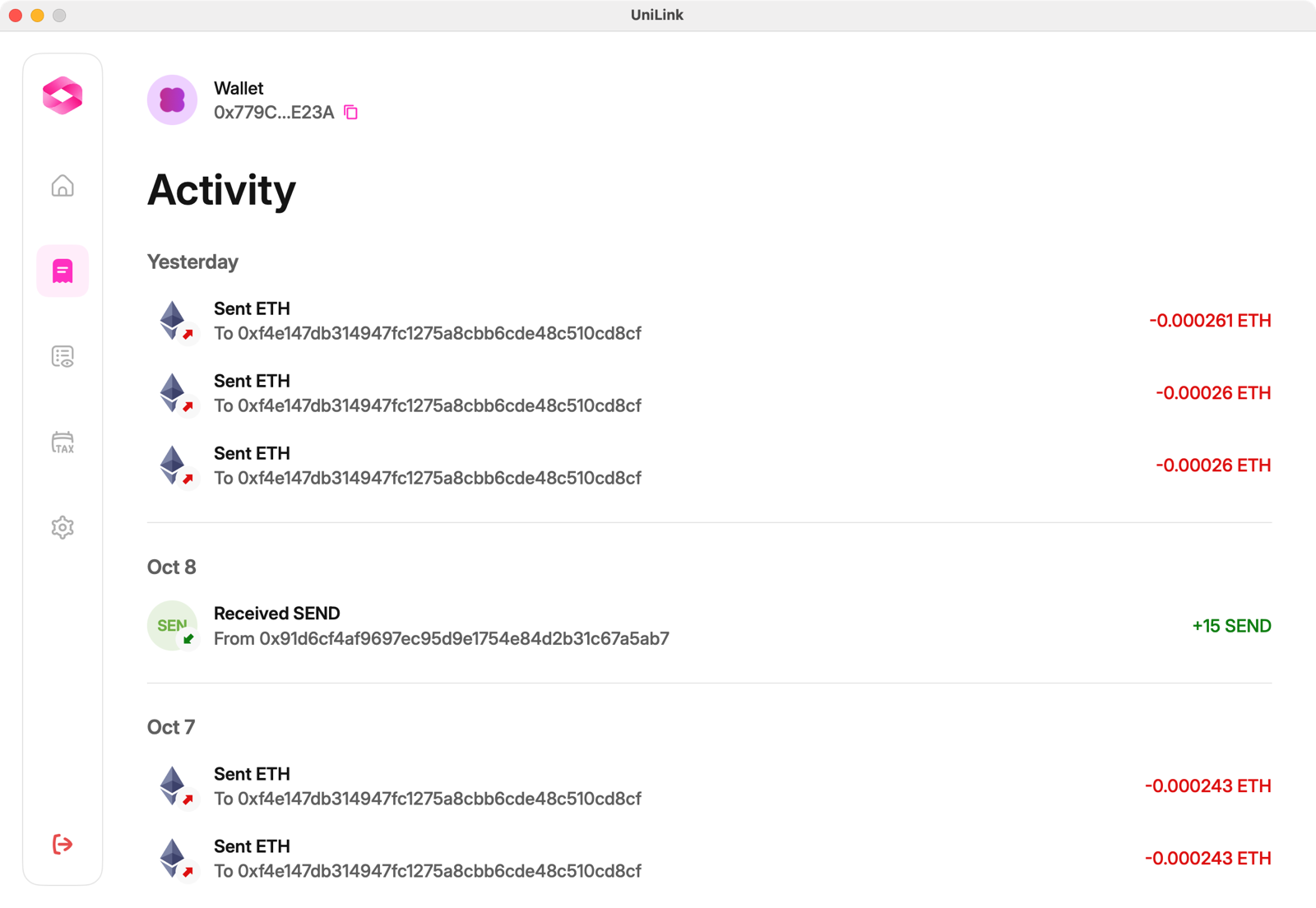
A clear, dated history of what you sent and received, with the full counterparty address and amount for each transfer.
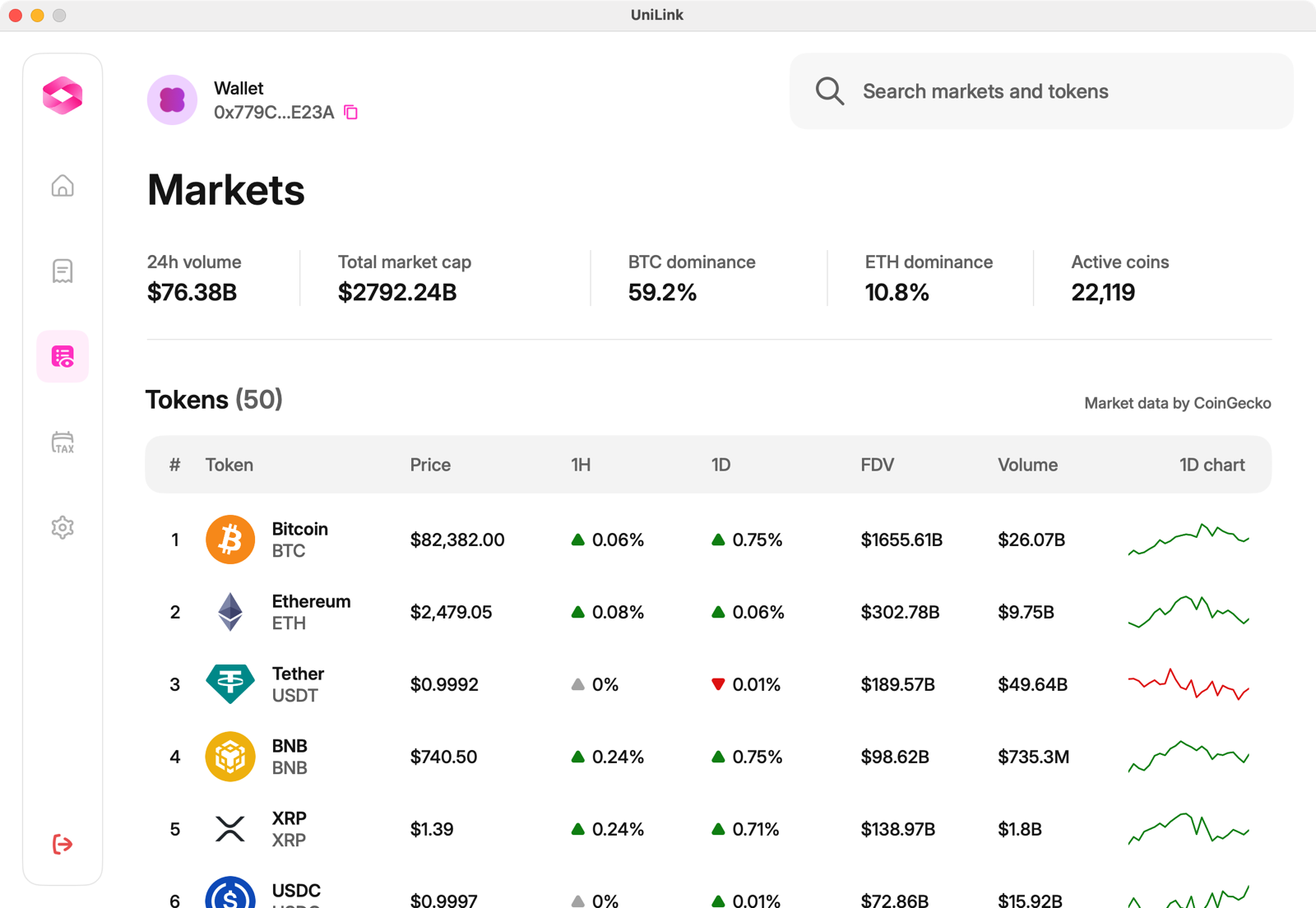
Browse the top 50 tokens by market cap with price, 1-hour and 1-day change, volume and a 24-hour chart, plus global market stats. Market data by CoinGecko.
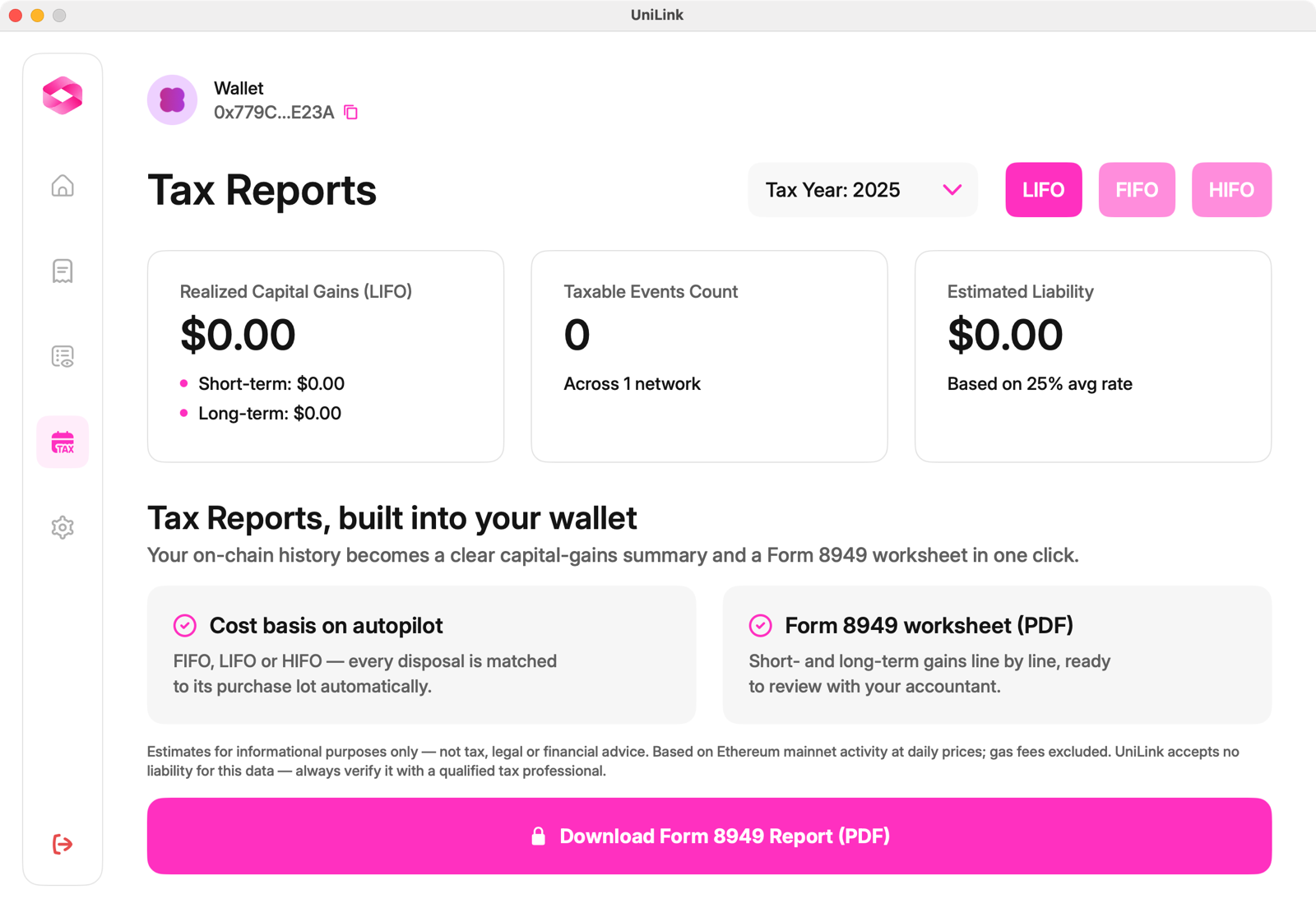
Pick a tax year and a method - FIFO, LIFO or HIFO - to see realized gains, taxable events and an estimate. Download a Form 8949-style PDF worksheet when you sign in with your recovery phrase.
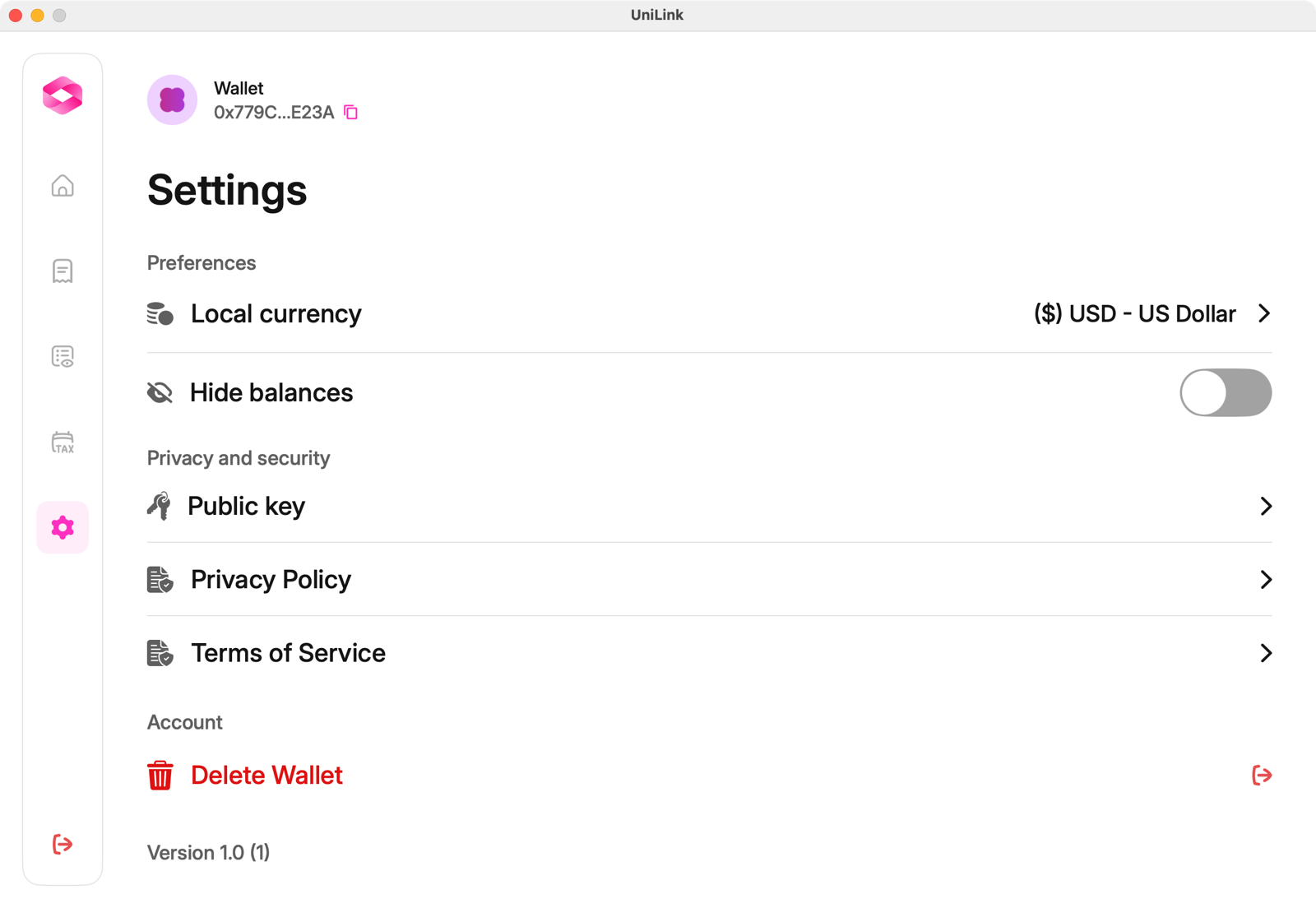
Choose your local currency, hide balances, view your public key or recovery phrase, and read the Privacy Policy and Terms. Delete your wallet from this Mac at any time.
Screenshots show a public demo address in read-only mode.
No account, no email, no tracking. Only public blockchain data ever leaves your Mac.
Private keys never touch our servers.
A unique picture per address to spot look-alike scams.
Send to name.eth and saved contacts.
No. UniLink is a self-custody (non-custodial) wallet. Your funds live on the blockchain and only your recovery phrase controls them. We never have access to your phrase, your keys or your funds.
Nobody — including us — can recover it or your funds. Write your phrase down when you create a wallet and keep it somewhere safe and offline.
No. Blockchain transfers are final once confirmed. That's why UniLink shows the full recipient address, network and maximum fee before you confirm.
The app is free. When you send, you pay the blockchain's network (gas) fee — it goes to the network, not to us.
No. They are informational estimates based on public blockchain data and are not tax advice or an official IRS form.
Never by email, message or website. You only ever type it into the app on your own Mac. Anyone asking for it is trying to steal your funds.